
Charge if needed
Place Lumavoa on a stable, dry surface. It has a built-in rechargeable battery, so connect the supplied USB cable to a suitable USB power source only when the lamp needs recharging.
GETTING STARTED WITH LUMAVOA
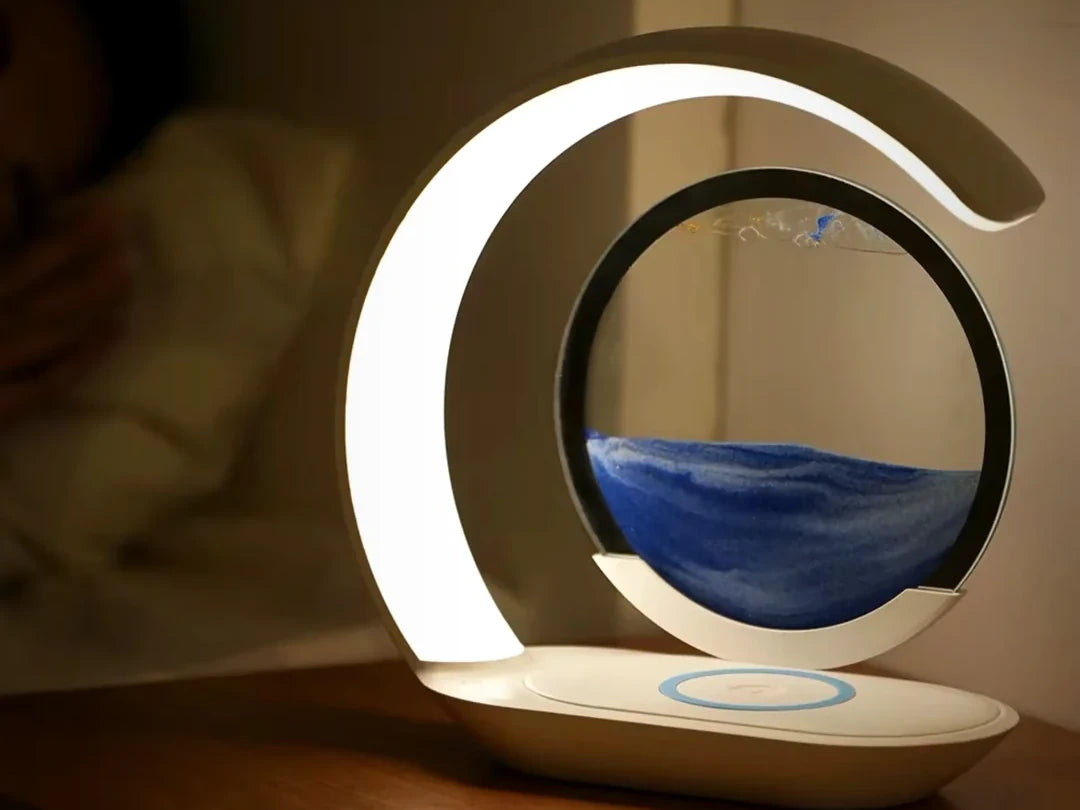
Everything you need to turn the moving-sand chamber, choose a light tone, charge a compatible phone and solve common issues.
01
FIRST USE
Four steps are all you need to begin.
Place Lumavoa on a stable, dry surface. It has a built-in rechargeable battery, so connect the supplied USB cable to a suitable USB power source only when the lamp needs recharging.
Lift the circular sand chamber with both hands, rotate it 180 degrees and return it securely to the cradle.
Tap the touch control to cycle through three selectable light tones. Press and hold the touch control to adjust brightness.
Centre a compatible phone on the marked wireless charging area and check that charging begins on the phone.
MOVING SAND
The sand is gravity-driven. Each formation begins when the chamber is turned and the sand starts passing through the air pockets.
Wait until most of the sand has reached the bottom before beginning another turn.
Hold the chamber by its outer frame. Do not lift it by the glass or strike it against the lamp body.
Rotate the chamber 180 degrees, then place it back into the cradle so it sits evenly and securely.
If needed, gently tilt the chamber a few degrees to help the sand find openings between the air bubbles. Avoid vigorous shaking.
AMBIENT LIGHT
Tap for light tone. Press and hold for brightness.
WIRELESS CHARGING
Charging performance depends on the phone, case and alignment.
02
COMMON QUESTIONS
Try these checks before contacting support.
Confirm the lamp has power, then reposition the phone so its charging coil is centred over the marked area. Remove thick, magnetic or metal cases and remove any cards, rings or metal objects between the phone and charger. Confirm the phone supports wireless charging.
Turn the chamber again and gently rock it from side to side so the air bubbles redistribute across the sand line. Return it to the cradle and allow the flow to begin naturally. Do not shake, strike or attempt to open the sealed chamber.
Gently tilt the chamber a few degrees to help the sand find a gap between the bubbles. If it remains stopped, turn the chamber again and allow the bubbles to redistribute before returning it to the cradle.
Reconnect the USB cable at both ends and try another suitable USB power source. Make sure the touch control is clean and dry. Stop using the product if the cable, connector or lamp body is damaged.
Yes. The chamber contains sand, liquid and air. Bubbles are required to divide the falling sand and create the landscape. Uneven formations and different flow paths are a normal part of the moving artwork.
CARE & SAFETY
For indoor use only. Keep the lamp, cable and charging area dry.
Use on a stable surface away from high heat, direct moisture and edges where it could fall.
Clean with a soft, dry cloth. Do not use abrasive cleaners or immerse any part in water.
Do not open the sealed sand chamber or disassemble the lamp body.
Remove metal objects, cards and keys from the wireless charging area before use.
Disconnect power and stop use if the cable, connector, glass or lamp body is damaged.
STILL NEED A HAND?
Send your order number and a clear description of the issue. Photos or a short video are useful for sand-flow, damage or charging questions.